If the internet goes down
Who: everyone. When: a red banner says the store isn't answering or there's no internet connection.
AutoLNK POS needs the internet to finish a sale. There's no offline mode. When the connection drops, a red banner shows across the app:
- No internet connection. The POS reconnects by itself when the internet is back.
- The store isn't answering. Keep the window open while the POS reconnects.
When the connection is back, the banner says Connection restored.
What to do
- Keep AutoLNK POS open. Don't close or restart it.
- Click Retry on the banner to try again.
- Tell a manager. Check the network cable or Wi-Fi.
- Don't take another card payment for the same sale until you've checked the first one (see below).
What happens to sales and orders
- A sale in progress stays on the screen. Finish it when the connection is back.
- Restaurant orders save by themselves when the connection is back. You can't send them to the kitchen or pay for them until they've saved.
If a card payment couldn't be confirmed
The screen says We couldn't confirm the payment. The card may have been charged.
- Click Check payment status before you take another payment. The POS also checks again when the connection is back.
- Don't charge the card again until you know the first payment failed.
If the app still shows old products or prices
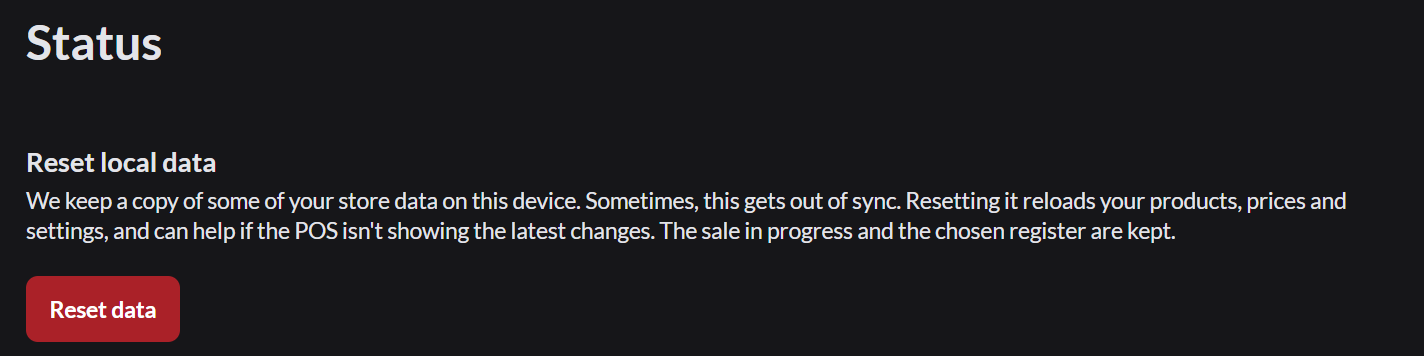
Anyone can go to Sell › Status, click Reset data and confirm. An Admin can turn this off for cashiers. This reloads products, prices and settings. The sale in progress is kept.