Reprint or email a receipt
Who: cashier, server or manager. When: a customer asks for a copy of their receipt, or the receipt didn't print.
Quick version
Sell › Sales history › open the sale › Print receipt.
Reprint a receipt
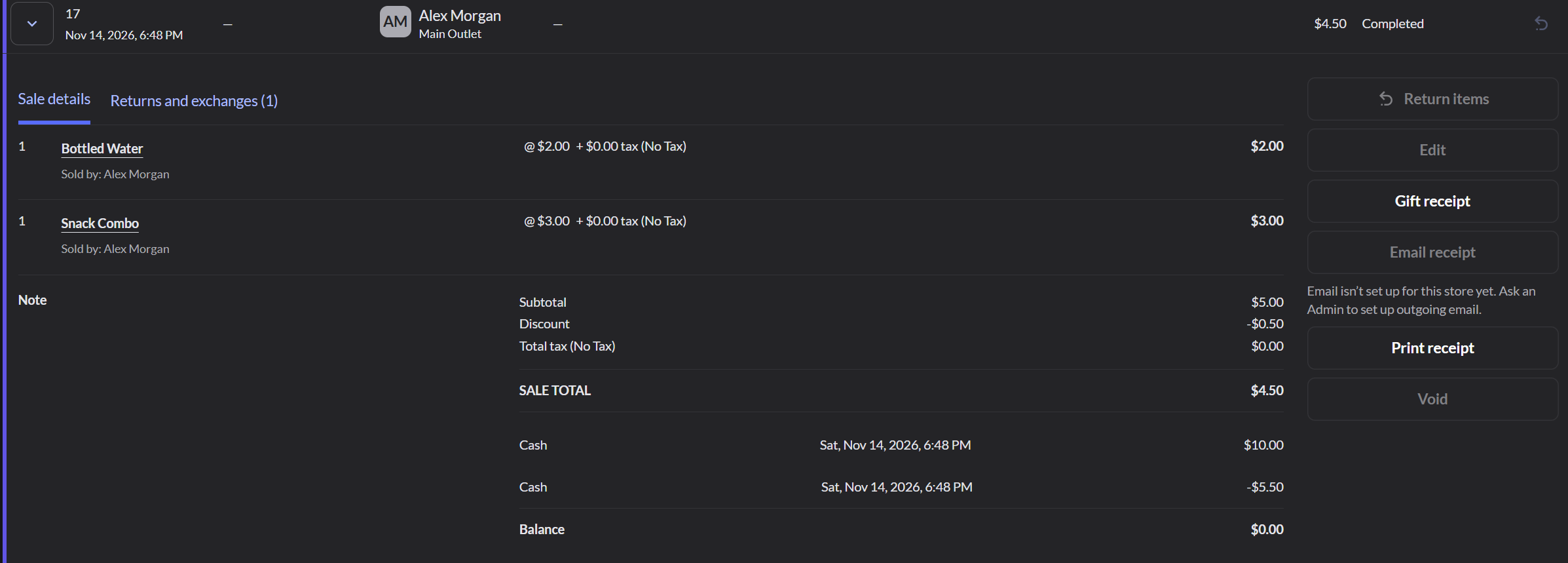
- Go to Sell › Sales history. To find the sale, use the filters at the top, such as Receipt or note.
- Click the arrow next to the sale to open it.
- Click Print receipt.
Email a receipt
- Open the sale in Sales history.
- Click Email receipt.
- Check the customer's email, then click Email receipt.
Email receipt only works when the sale has a customer with an email address, and when an Admin has set up email for the store. If the button is grayed out, the screen says why.
Print a gift receipt
For a retail sale, click Gift receipt to print a receipt without prices.
Print the receipt for an open restaurant order
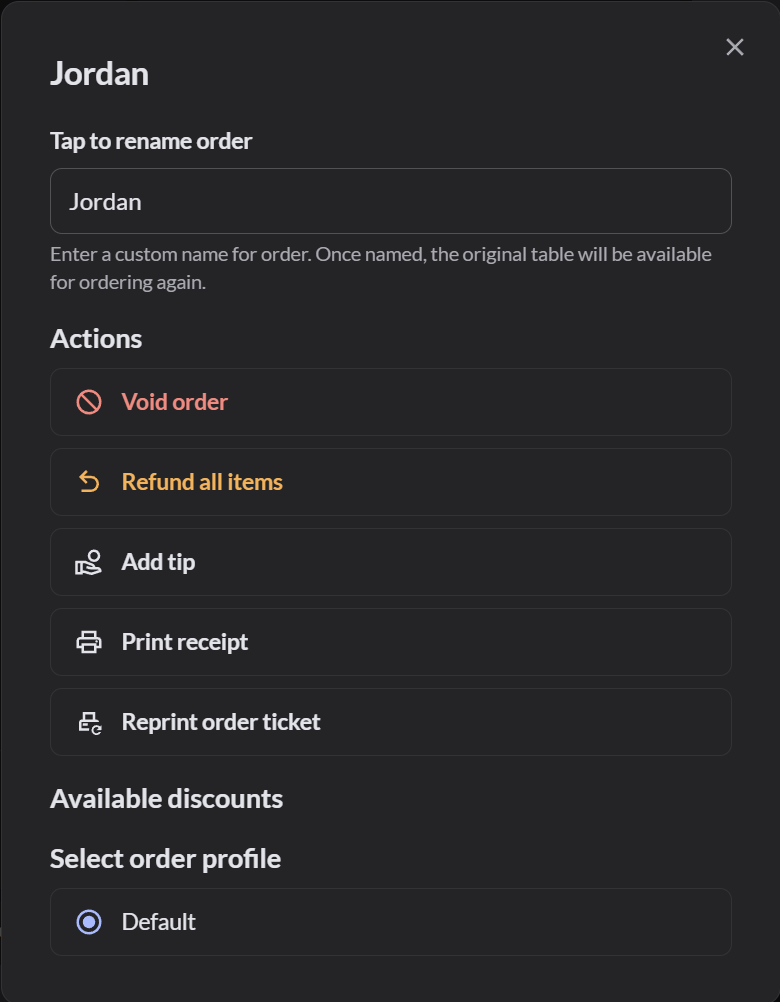
Open the order, click Actions at the top of the order, and click Print receipt. Print receipt shows only after items were sent to the kitchen.
Reprint a kitchen ticket
- Open the order and click Actions.
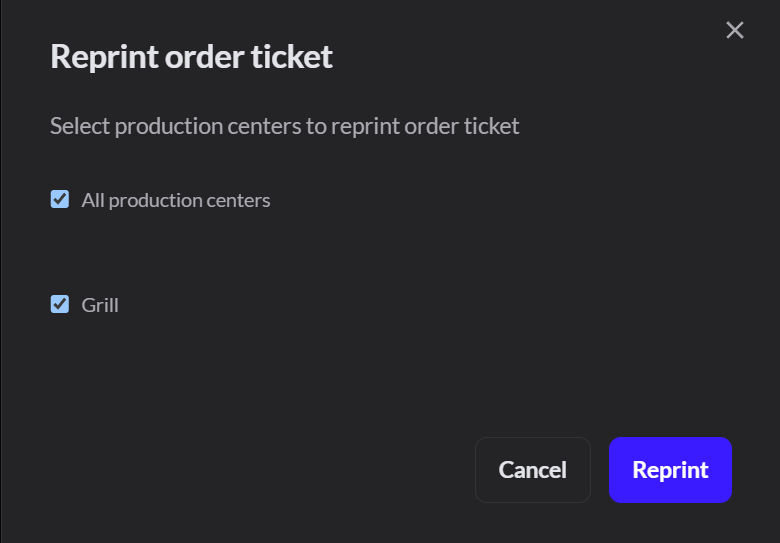
- Click Reprint order ticket.
- Choose the kitchen stations, or All production centers, and click Reprint.
If it doesn't work
- "Receipt printer offline. The sale is saved": check that the printer is on, then reprint the receipt from Sales history. More about printers and receipts
- Print receipt is grayed out: the sale was voided.
- Reprint order ticket is grayed out: nothing on the order was sent to the kitchen yet.