Cash in and cash out
Who: cashier or manager. Cashiers can do this unless an Admin has turned it off. When: you add change to the drawer, take a bank drop, or pay a small expense from the drawer.
Quick version
Sell › Cash management › Add cash or Remove cash › amount and note › confirm.
Put cash in
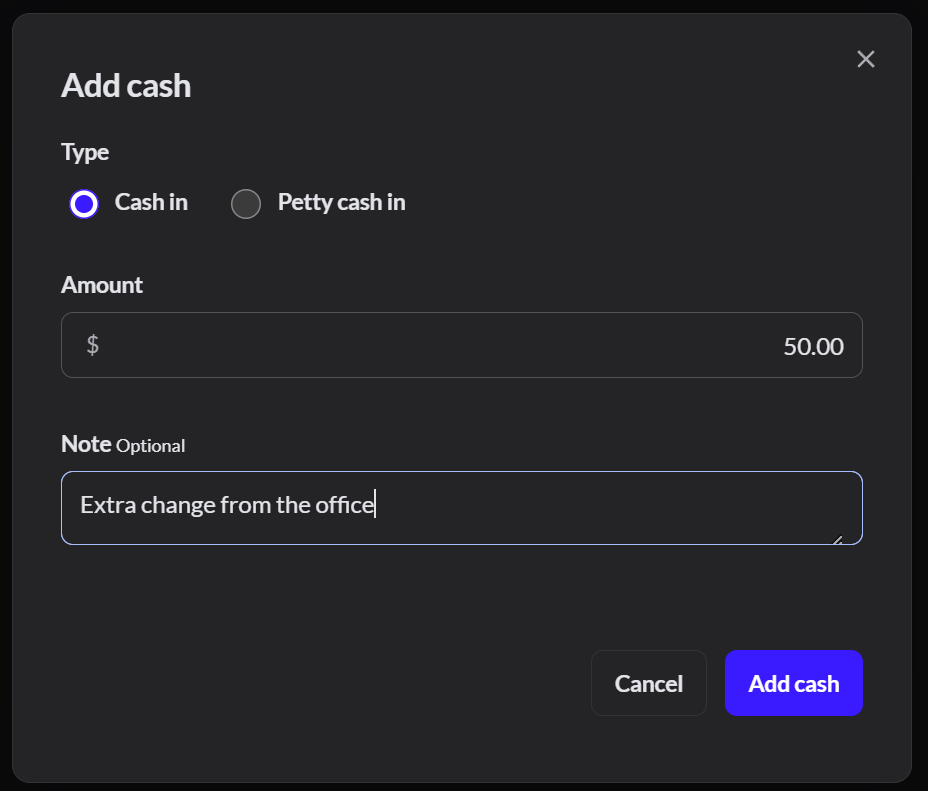
Go to Sell › Cash management and click Add cash. Type the amount and where it came from, then click Add cash.
Take cash out
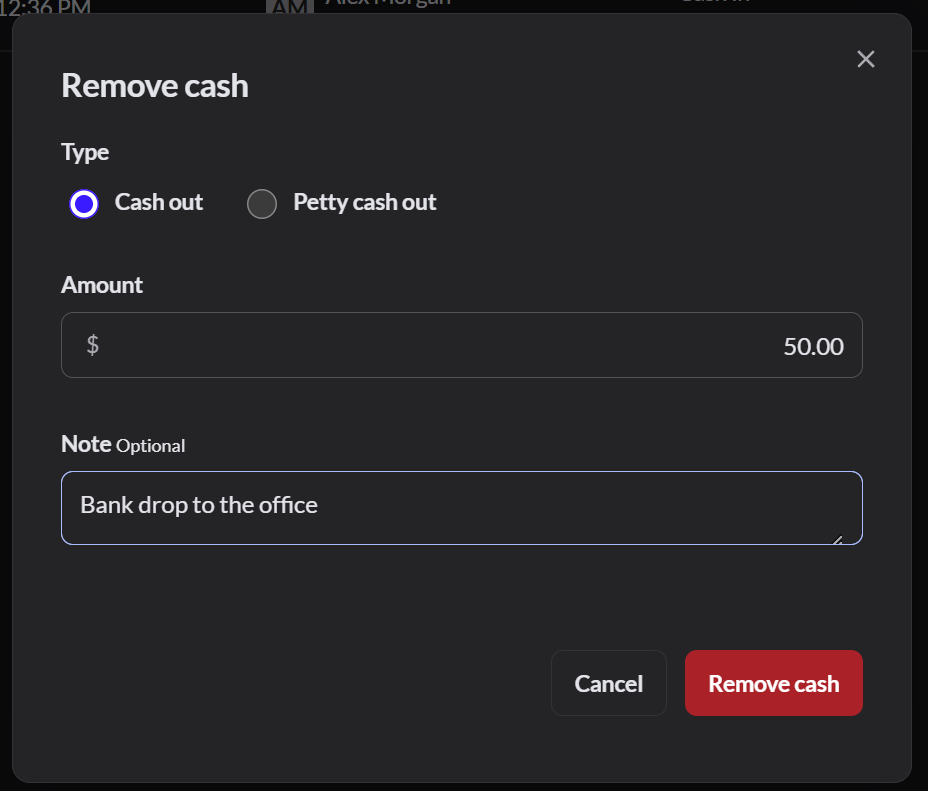
Click Remove cash. Type the amount and the reason, then click Remove cash.
Check the list
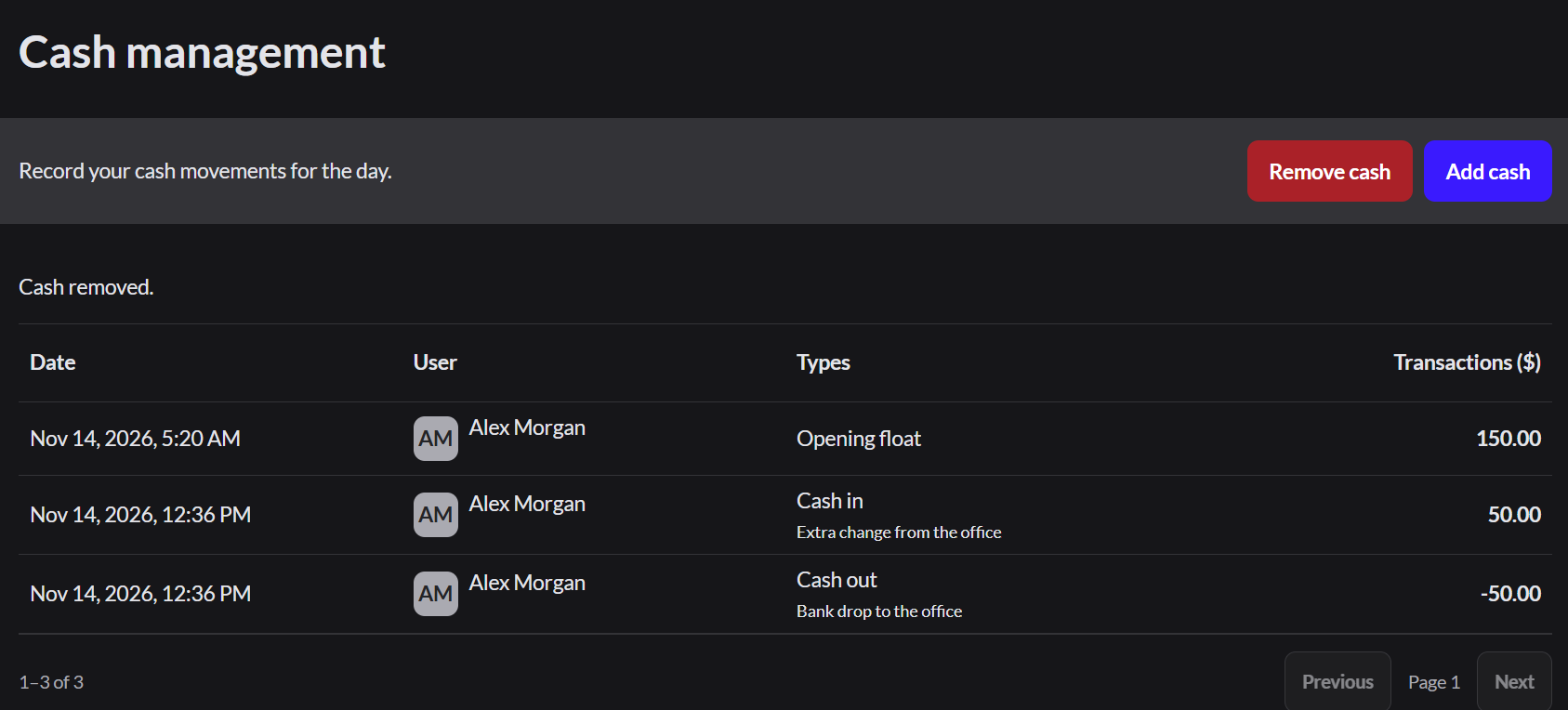
Each cash movement is listed with the time, the team member and the note.
If it doesn't work
- "The drawer doesn't have that much recorded cash. Enter a smaller amount.": you can't remove more than the drawer is expected to hold.
- "Open the register before moving cash.": How to open the register
- Always write a note. The closing count is checked against it.