Read the sales and payment reports
Who: manager or Admin. Cashiers see sales reports for their own sales only. When: at the end of the day or week, or when you need the figures.
Quick version
Reporting › Sales reports or Payment reports › pick the dates › More filters › add the register › Search.
Sales report
Go to Reporting › Sales reports. Pick the Date range. To see one register, click More filters and type its name in the filter box. Select it, then click Search.
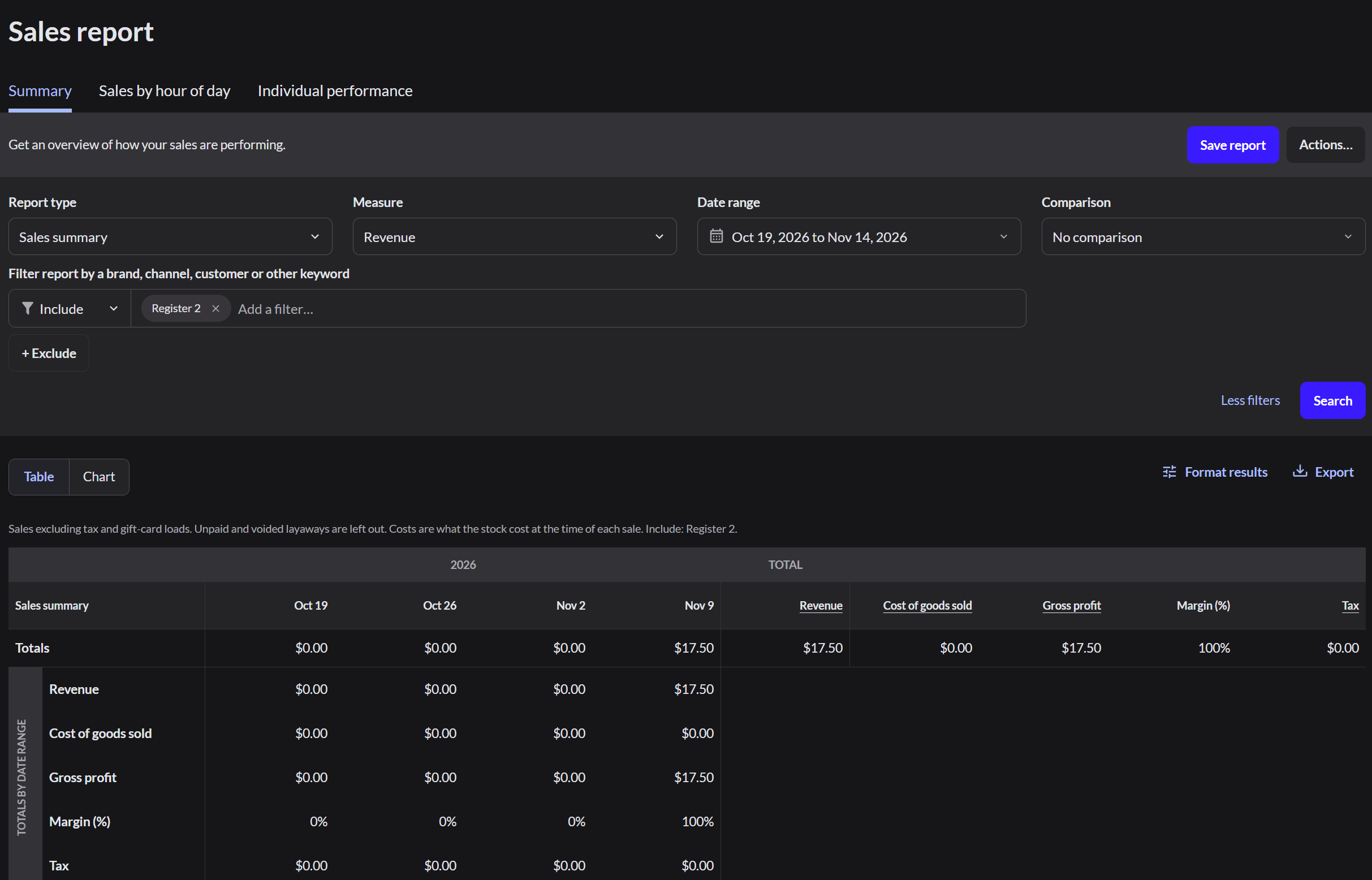
The Totals row shows revenue, cost of goods, gross profit and margin for the period.
Payment report
Go to Reporting › Payment reports and filter the same way. This report shows how much was taken by each payment type.
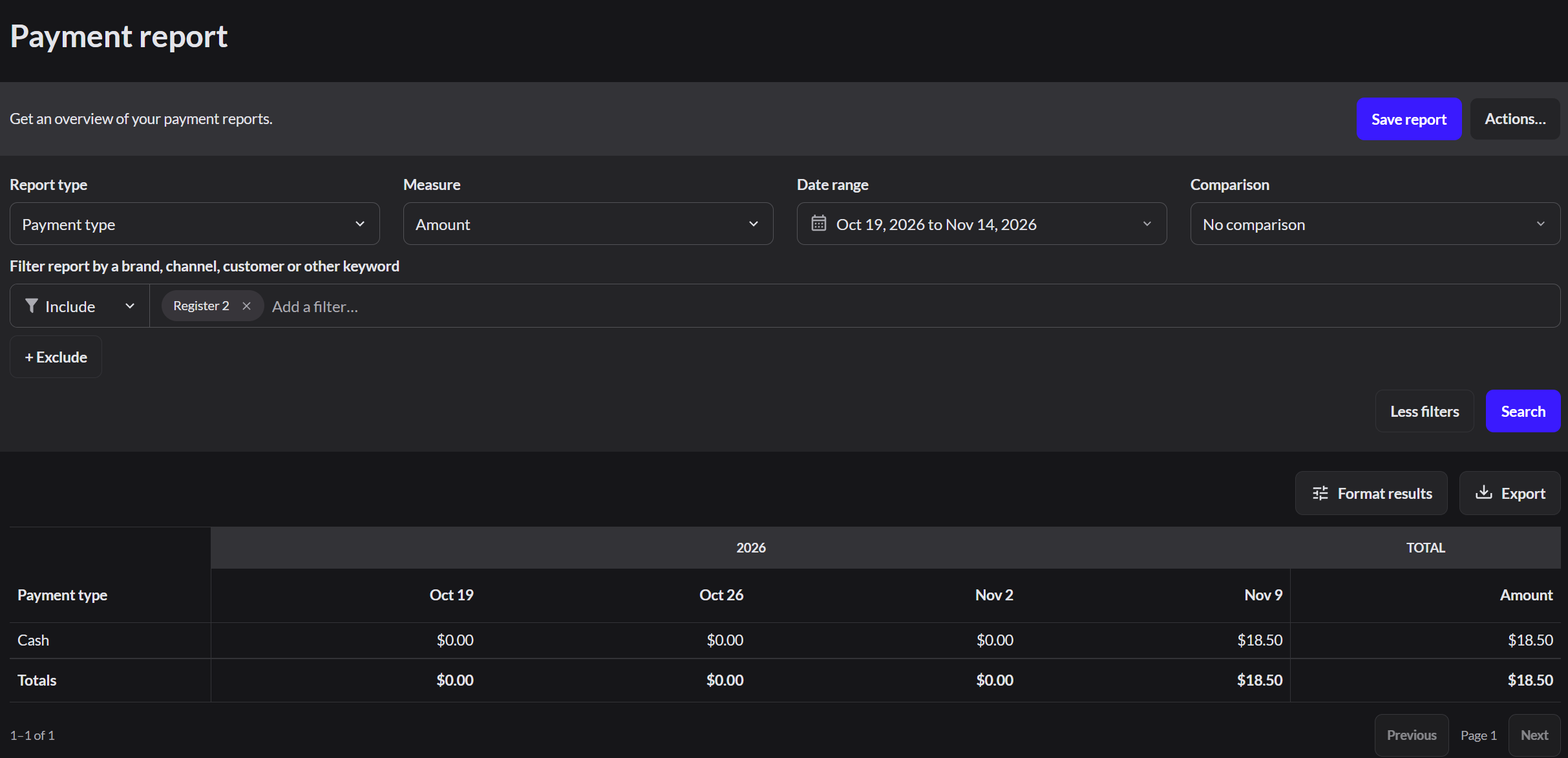
Today's shift
To see the totals for the shift that's still open:
- Restaurant mode: go to Sell › Reports. It shows sales, payments, cash movements, orders and tips for this register.
- Retail mode: go to Reporting › Register closures. Find the row marked Still open and click its date.
Notes
- The figures already exclude refunds and voided sales.
- Export sends a report to a spreadsheet.
- Save report keeps your filters for next time.