Take a pickup or delivery order
Who: server or cashier. When: a customer orders now and collects the food later, or it's delivered.
Pickup and delivery orders use an order profile set up for takeaway. If no takeaway profile is set up, ask an Admin to add one with Takeaway mode set to Pick up or Delivery. Admins: How to add an order profile
Quick version
Tap the items › Default tag › choose the pickup profile › Actions › name the order › Send. Track it in Sell › Orders › Pickup / Delivery.
1. Start the order
- Go to Sell and tap the items.
- Tap Default tag at the top of the order and choose the pickup or delivery profile. The button now shows the profile's name.
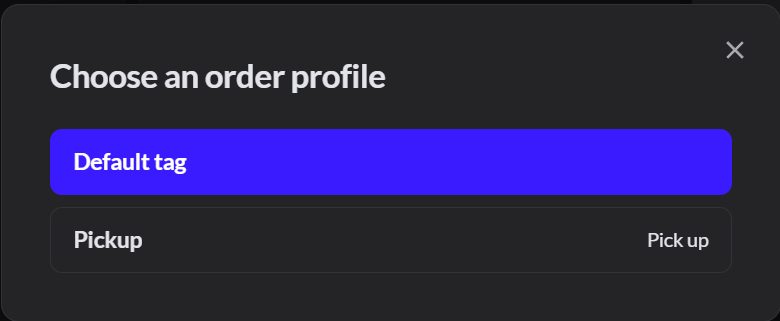
- Give the order the customer's name: click Actions, type the name in Tap to rename order, and press Enter. Without a name, the order has no Send button.
- To keep their details with the order, tap Assign customer and add the customer.
- Click Send to send the food to the kitchen.
2. Track it
Go to Sell › Orders and click Pickup / Delivery. Each order shows its type, status and payment.
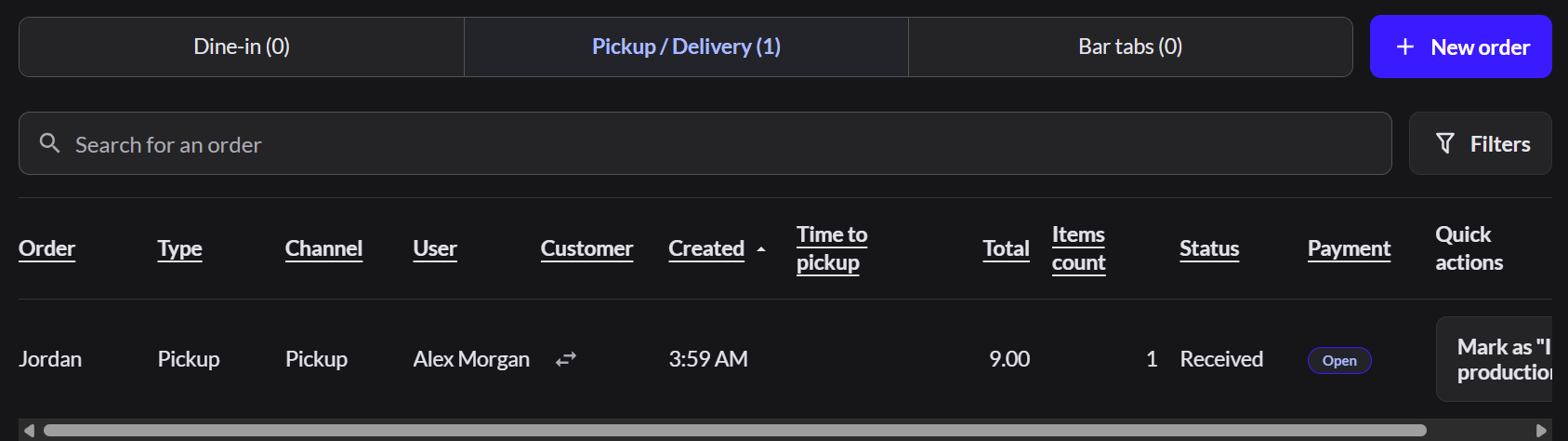
To move an order to its next status, click the button in Quick actions, such as Mark as "In production", then Mark as "Ready for pickup".
3. Change the status or pickup time
Open the order, click Actions, then Takeaway options.
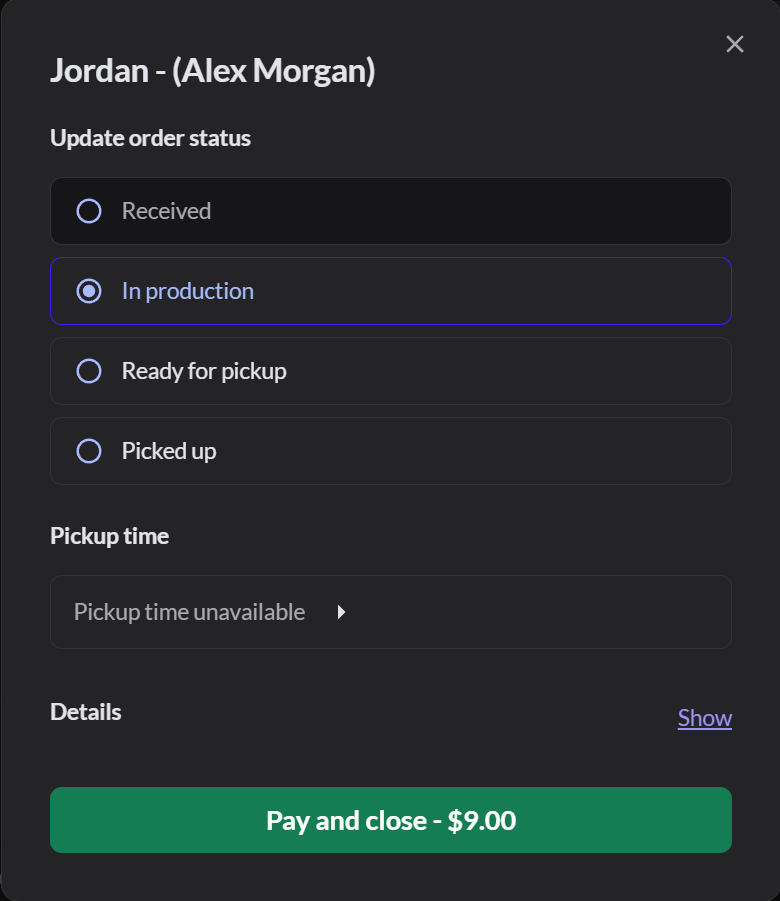
- Update order status: Received, In production, Ready for pickup, then Picked up. For delivery, Ready for delivery and Delivered.
- Pickup time: tap it to change the time, then click Update time. It says Pickup time unavailable if the profile has no delivery time.
- Details: click Show to see the customer, their address, the order note and the order type.
4. Take payment and close it
In Takeaway options, click Pay and close, then take payment as usual. How to take payment and tips If the customer already paid, the button says Close order.
If it doesn't work
- There's no Send button: the order has no name. Name it in Actions.
- No Tab name key, or the name is refused: this register doesn't take tabs. Take payment now. The kitchen gets the order when it's paid.
- There's no pickup profile to choose: the profile isn't selected in the register's POS configuration. Ask an Admin.
- "Choose a pickup time from now up to 24 hours ahead": pick a time later today or tomorrow.