Staff sign-in
Who: cashiers, servers and managers. When: at the start of your shift.
Quick version
Check the register name › type your username and password › Log in.
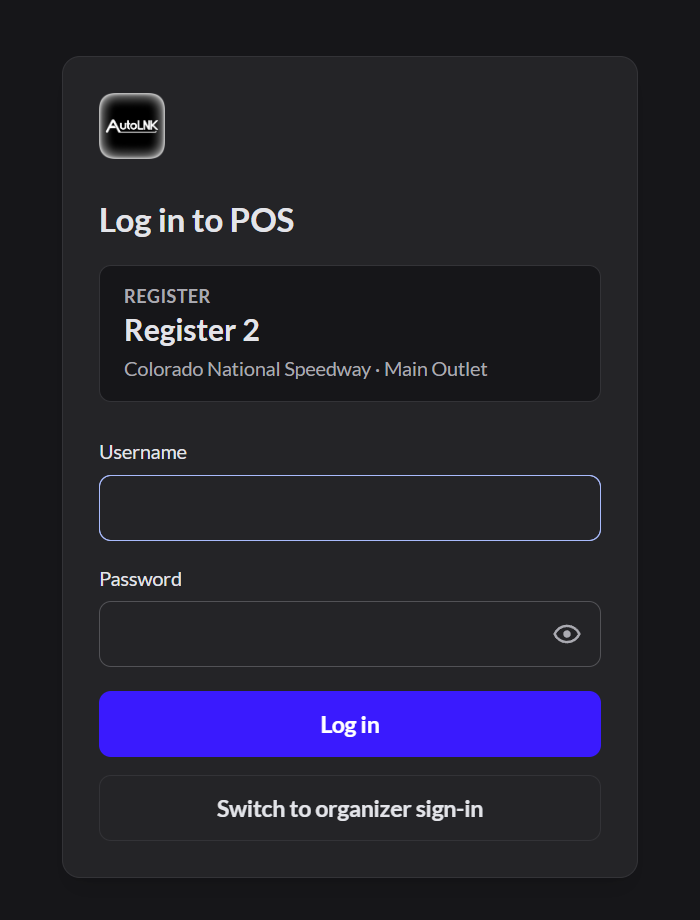
- Open AutoLNK POS.
- Check that the Register name in the box is yours.
- Type your username.
- Type your password.
- Click Log in.
Always sign in as yourself. Sales are recorded under the name that's signed in.
If it doesn't work
- "Incorrect username and/or password": check Caps Lock and try again.
- The first box says "AutoLNK email, username or phone": you're on organizer sign-in. Click Switch to staff sign-in.
- Still locked out: ask a manager to reset your password. Managers: How to change a team member's password
- "This register has been disconnected": click Check again. If it's still disconnected, tell a manager. An Admin has to make a new connection code.Connection codes