Outlets and registers
Who: an Admin. When: opening a new location or adding a counter.
An outlet is a location. A register is one selling point inside it. A computer can only sell once it's connected to a register.
Quick version
Setup › Outlets and registers › Add outlet, or open an outlet and click Add register.
Add an outlet
Go to Setup › Outlets and registers and click Add outlet.
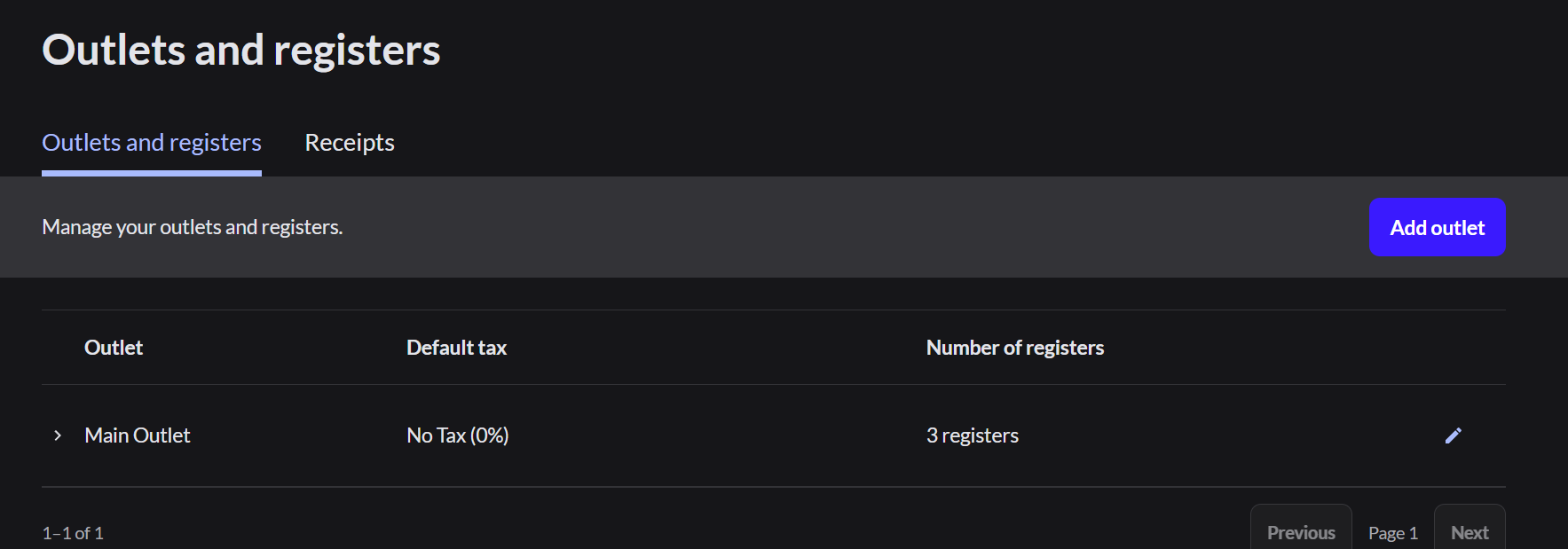
The box has four steps: Location, Name, Taxes and Registers.
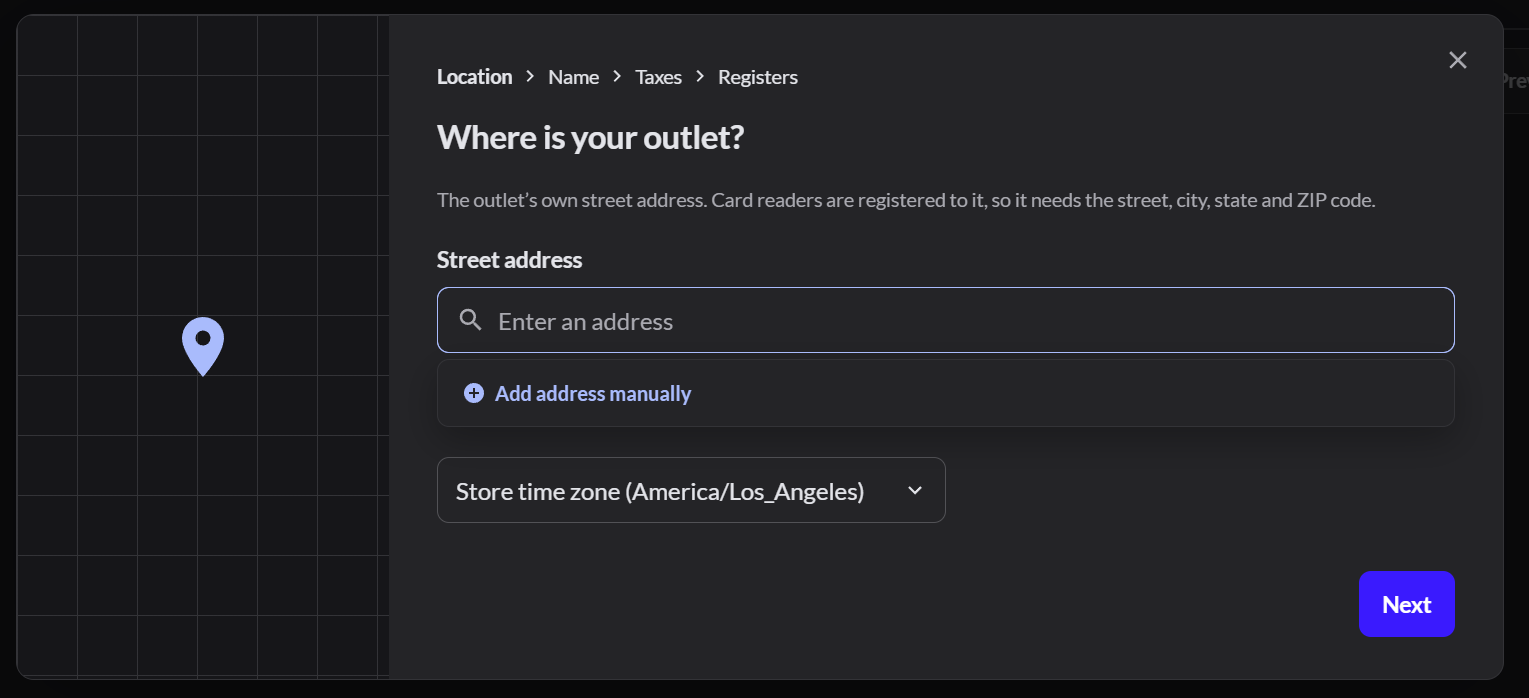
- Type the outlet's street address. Card readers are registered to this address. Include the street, city, state and ZIP code.
- Click Next and give the outlet a name.
- Choose its sales tax.
- Name its registers, then save.
Add a register to an outlet
- Click the pencil next to the outlet.
- Scroll to Registers and click Add register.
- Type the register name, such as Main gate 1.
- Click Save at the top.
Let a register sell Restaurant
Restaurant mode, and the Retail / Restaurant switch, only show on a register that sells Restaurant.
- Close the register first. You can't change what a register sells while it's open.
- Go to Setup › Outlets and registers and click the pencil next to the outlet.
- Under Sell settings, turn on Restaurant.

- Under Registers, click the arrow next to the register.
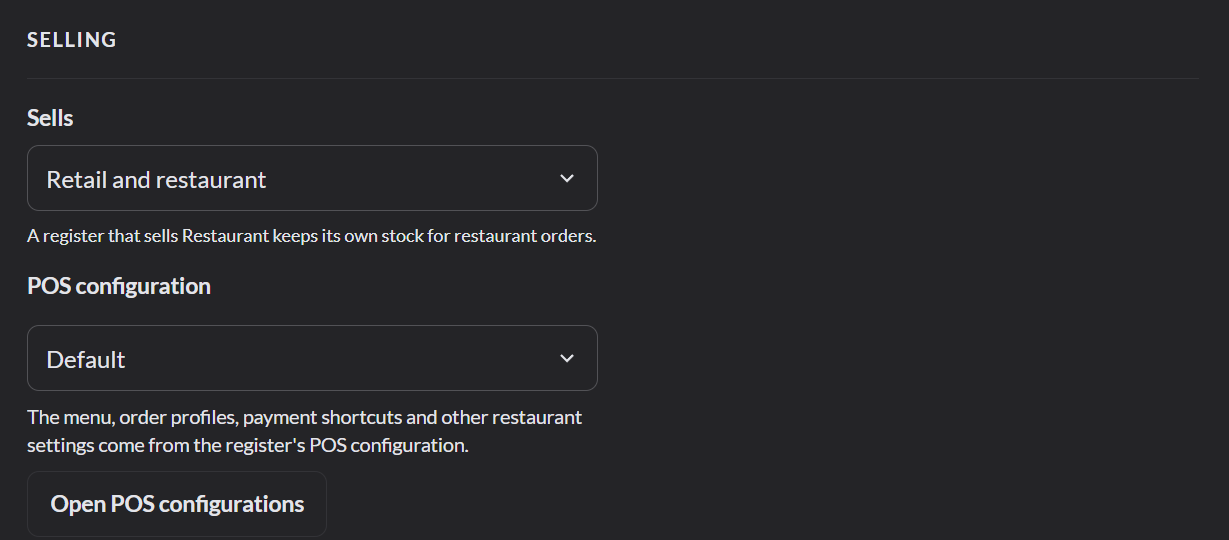
- Under Selling, set Sells to Restaurant, or to Retail and restaurant.
- Choose its POS configuration. The menu and other restaurant settings come from it.
- Click Save at the top.
Register settings
Click the arrow next to a register to open its settings.
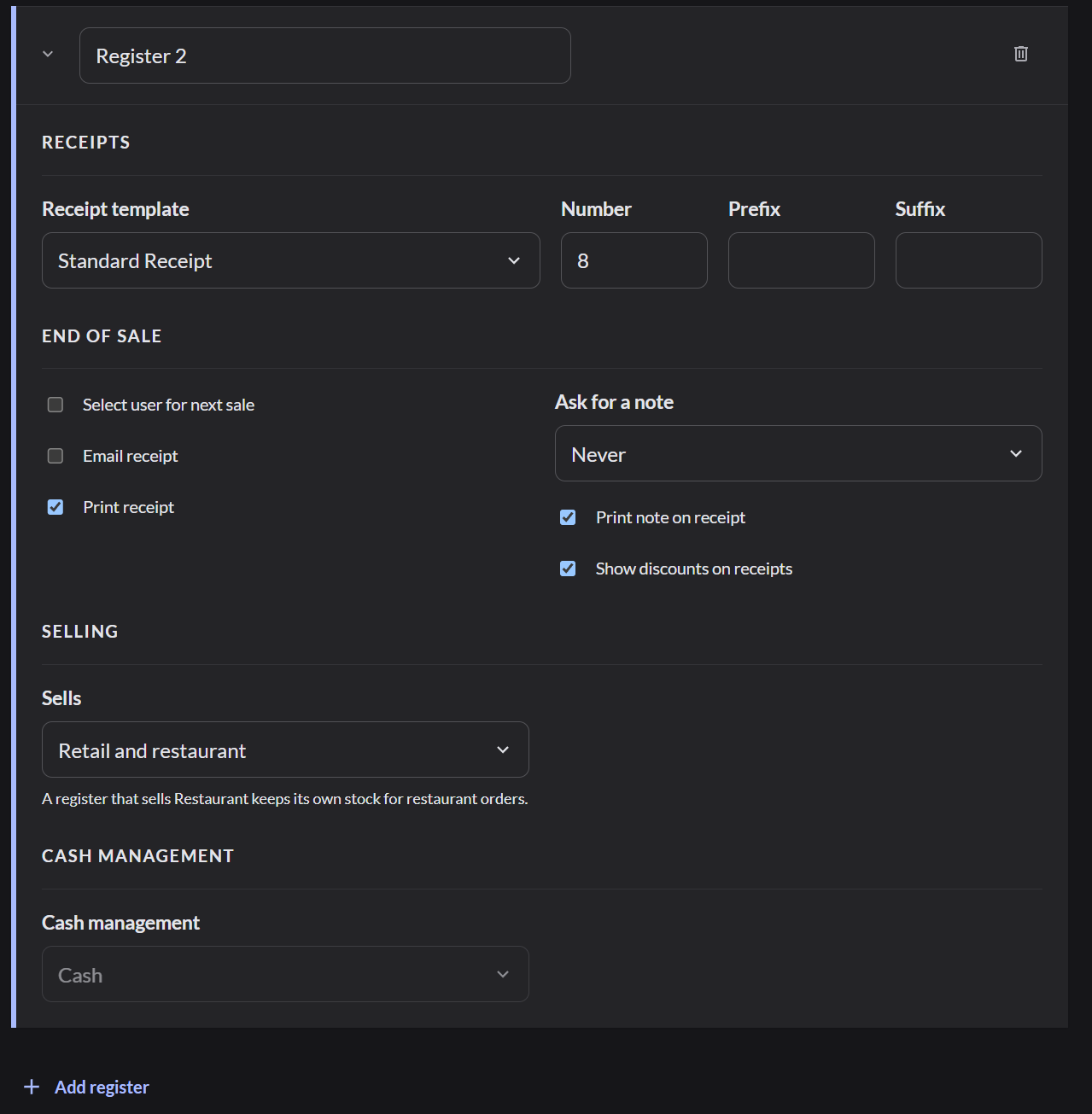
| Setting | What it does |
|---|---|
| Receipt template | Which receipt layout this register prints |
| Print receipt | Prints a receipt after every sale. Clear it to stop the print window from opening |
| Email receipt | Offers to email the receipt |
| Select user for next sale | Asks who is selling before each sale. Use it when several team members share one register |
| Ask for a note | Asks for a note on every sale, never, or only on some |
| Sells | Whether the register sells Retail, Restaurant, or both |
After you add a register, connect a computer to it. More about connection codes